
How to Compress Signature to 20KB for SSC and IBPS Exams
SSC and IBPS exam portals require your signature to be between 10KB and 20KB. Here's the complete guide to photograph and compress your signature correctly.
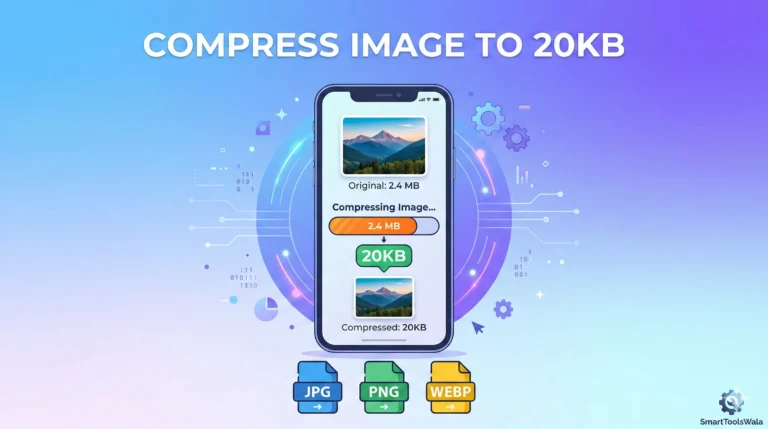
When you register for SSC (Staff Selection Commission) or IBPS (Institute of Banking Personnel Selection) exams, you must upload two things: your passport photo and your signature. While the photo gets all the attention, the signature upload causes almost as many headaches.
The requirement is usually strict: Signature file must be between 10 KB and 20 KB in JPG format.
This guide will teach you exactly how to take a perfect signature photo and compress it to the required 20 KB size.
Why Signatures Have a Smaller Size Limit
Signatures require a smaller file size than passport photos for a simple reason: they contain less visual information.
A face photo has thousands of colors — skin tones, eyes, hair, clothing, background gradients. All of these colors require data to store.
A signature, on the other hand, is essentially two colors: dark ink and white paper. This makes signatures compress extremely efficiently. A high-quality signature photo can easily reach 15 KB without looking any different from the original.
SSC and IBPS Photo/Signature Requirements
| Document | Size Range | Format | Background | |---|---|---|---| | Passport Photo | 20 KB – 50 KB | JPG | White | | Signature | 10 KB – 20 KB | JPG | White | | Thumb Impression | 10 KB – 20 KB | JPG | White |
The most common mistake students make is uploading a beautifully compressed passport photo but then uploading a raw, uncompressed 500 KB signature! Both documents have separate size limits.
Step 1: Take the Perfect Signature Photo
Materials Needed
- A clean white A4 sheet of paper
- A blue or black ballpoint pen (Reynolds, Cello, or similar)
- Your smartphone
- Good natural lighting
Process
Prepare the environment: Place the white paper on a flat, clean table surface. Position yourself near a window so daylight falls evenly on the paper.
Sign the paper: Write your signature in the center of the paper. Make it slightly larger than your usual signature for better visibility. Use consistent pen pressure — neither too light (lines will be faint) nor too heavy (lines will be too thick and could bleed).
Photograph the signature: Hold your phone directly above the paper — look straight down at it. The phone should be parallel to the paper, not tilted at any angle. Tap on the signature on your phone screen to focus the camera precisely on it. Take the photo.
Verify the photo: Open the photo in your Gallery. Zoom in 2-3x. The individual ink lines of your signature should be sharp, dark, and smooth — not blurry or jagged.
Step 2: Crop the Signature Photo
Before compressing, crop the photo to show only the signature area.
Why crop? If you took the photo of the entire A4 page, most of the image is empty white space. That white space adds to the file size without adding useful information. Cropping to just the signature area reduces the file size and makes the signature fill the upload frame properly.
How to crop on Android: Gallery → Open photo → Edit (pencil icon) → Crop → Drag handles to surround just the signature with a small white border → Save copy
How to crop on iPhone: Photos → Open photo → Edit → Crop (square icon) → Adjust to surround signature → Done
The cropped signature should have your signature centered with about 10-15% white space around all four sides.
Step 3: Compress to 20KB Using SmartToolsWala
Open SmartToolsWala's "Compress Image to 20KB" tool in your browser.
- Upload your cropped signature photo
- Wait 2 seconds for compression
- Download the result (usually 12-18 KB for a signature)
- Open and check: are the signature lines dark and clear?
- Check file size: is it between 10 KB and 20 KB?
If yes — you're ready to upload to SSC or IBPS!
Why Signatures Sometimes Look Faded After Compression
The most common problem: you compress your signature and the lines look grey and thin instead of dark blue.
Usually caused by:
- Original photo taken in artificial yellow light (gives a warm tone that makes blue ink look pale)
- Original photo slightly out of focus
- Pens with very thin or light ink (like a pencil-style 0.5mm ballpoint)
Solutions:
- Move to a window with natural daylight — this makes blue ink look crisp and dark
- Make sure the camera is focused on the signature, not the table
- Use a thick, dark ballpoint pen with generous ink (avoid light pens)
Thumb Impression Upload for Competitive Exams
Some competitive exam portals also ask for a left thumb impression in addition to signature. The same size rule applies: 10 KB to 20 KB in JPG.
How to take a thumb impression photo:
- Press your left thumb firmly onto a blue/black ink pad
- Press your inked thumb onto clean white paper
- Let it dry completely (30 seconds)
- Photograph it from directly above in natural light
- Crop to just the thumb impression area
- Compress to 15-18 KB using our tool
Frequently Asked Questions
Can I use a digital signature app on my phone instead of photographing a paper signature?
Possibly, but this depends on the exam portal. Most SSC and IBPS portals require a photograph of a handwritten signature on paper. Digital drawing app signatures are sometimes rejected. When in doubt, use the traditional paper method.
My signature upload was rejected because "both lines of text do not match." What does this mean?
Some portals check that your signature (written in the box) and your name (typed in the form) are visually consistent. Make sure your signature represents your actual legal name or the form's instruction regarding what the signature should say.
I'm left-handed. Should I sign with my right hand for official documents?
No — always use your dominant hand. Sign the way you naturally sign any document. If you are left-handed, sign with your left hand.
Conclusion
Getting your signature to exactly 10-20 KB is straightforward:
- ✍️ Sign bold and clear on white paper with blue ink
- 🌟 Photograph in natural daylight from directly above
- ✂️ Crop to just the signature
- ⚡ Compress to 20 KB using SmartToolsWala
- ✅ Upload to SSC/IBPS with confidence
Good luck on your exam registration!
📝 Free ToolCompress Image to 20KB – Exams Ready!Open Tool →Written by
Abhishek Baghel
Related Articles

Instagram Bio: 3000+ Best, Stylish, Attitude & VIP Bios for Boys & Girls (2026)
Looking for the ultimate list of Instagram bios? Get 3000+ copy-paste Instagram bios including attitude, classy, stylish font, simple, VIP bios for boys and girls.

20 Gemini AI Photo Prompts Copy & Paste for Stunning Images (2026)
Get 20+ viral, hyper-realistic, and stunning Gemini AI photo generation prompts to copy and paste. Elevate your AI art game instantly.
Instagram Bio for Boys: 500+ Stylish, Attitude & Cool Bio Ideas for 2026
Discover 500+ Instagram Bio For Boys including attitude, stylish, VIP, cool, trending and emoji bios. Copy and use instantly.