
Photo MB to KB Converter Online Free for JPG, PNG, WEBP Files Instantly Without Losing Quality for Web and Forms
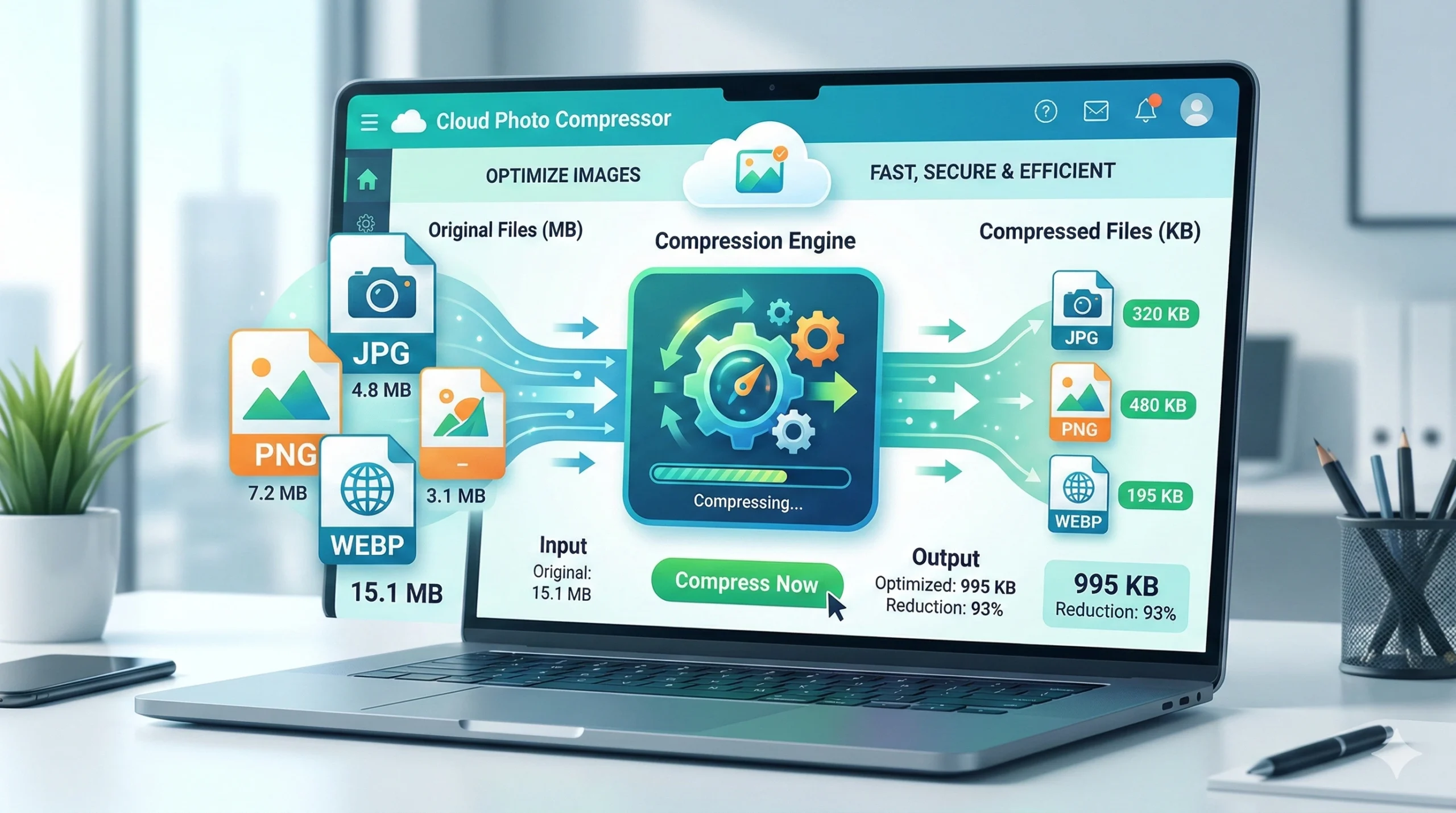
The Ultimate Guide to Using a Photo MB to KB Converter Online Free for JPG, PNG, and WEBP Files Instantly Without Losing Quality
In today’s fast-paced digital world, images are the language of the internet. From social media posts and e-commerce product listings to professional job applications and government form submissions, photographs dominate our online interactions. However, with the incredible resolution of modern smartphone cameras and DSLRs, we are left with a common, frustrating problem: file size.
High-quality images often come in at several Megabytes (MB), but most websites, forums, and official portals have strict limits, often requiring images to be just a few hundred Kilobytes (KB). This is where the magic of compression comes in. Finding a reliable Photo MB to KB Converter Online Free tool is no longer a luxury; it is a necessity.
But how do you reduce a photo from MB to KB without turning it into a pixelated mess? And how can you do it instantly for formats like JPG, PNG, and WEBP without losing quality?
This comprehensive guide will walk you through everything you need to know about compressing images, the technology behind it, and how to use the best free online tools to optimize your photos for the web and official forms.
Part 1: Understanding the Basics – Why Size Matters
Before we dive into the “how,” we must understand the “why.” Why is there such a demand for a Photo MB to KB Converter Online?
1. The Speed of the Web
Website loading speed is critical for user experience and Search Engine Optimization (SEO). If your website is heavy with high-resolution images, it will load slowly. Users are impatient; if a page takes more than three seconds to load, a significant percentage will leave. Compressing photos from MB to KB drastically reduces load times.
2. Storage Limitations
Whether it’s your smartphone, cloud storage (like Google Drive or iCloud), or a web hosting server, storage costs money. By converting your photo file size from MB to KB, you can store thousands more images in the same space.
3. The Strict Rules of Online Forms
This is perhaps the most common use case. Government agencies, universities, and job portals often require uploaded photos or signatures to be between 10 KB and 100 KB. If you try to upload a 2 MB selfie, the system will reject it instantly. You need a reliable photo size reducer for forms that can hit that specific target.
4. Email and Messaging
Many email servers have attachment limits. Converting large images to smaller KB sizes allows you to send them via email or instant messaging apps without them being bounced back or taking forever to send.
Part 2: The Holy Grail – Compressing Without Losing Quality
The biggest fear when using a Photo MB to KB Converter Online Free is quality loss. We’ve all seen it: an image that looks great on your computer but turns into a blurry, blocky, or artifact-ridden mess after compression.
To understand how to avoid this, we need to look at the two types of compression:
- Lossless Compression: This method reduces file size without discarding any image data. It’s like repacking a suitcase more efficiently. The image quality remains identical to the original, but the size reduction is often minimal.
- Lossy Compression: This method reduces file size by permanently removing certain information, usually details that the human eye is less likely to notice. This is how you achieve the dramatic reduction from MB to KB.
The “magic” of a high-quality online image compressor lies in its algorithm. Modern tools use sophisticated codecs to determine exactly which data to discard. They smooth out gradients, remove unnecessary metadata (like the camera model and GPS coordinates), and optimize the color palette. When done correctly, the human eye cannot tell the difference between the original 5 MB photo and the compressed 50 KB version, even though over 99% of the data has been removed.
Part 3: Key Features of the Best Online Converter Tools
Not all converters are created equal. If you search for a Photo MB to KB Converter Online, you will find thousands of options. Here are the features that separate the best from the rest:
1. Support for Multiple Formats: JPG, PNG, and WEBP
The modern web runs on three major image formats.
- JPG/JPEG: Best for photographs and realistic images with gradients. It uses lossy compression and is the most common format for web and forms.
- PNG: Best for images that require transparency (logos, icons) or graphics with sharp text. It typically uses lossless compression, resulting in larger files.
- WEBP: A modern format developed by Google designed to create smaller, richer images. It supports both lossy and lossless compression.
A top-tier tool must handle all three. Whether you need to compress JPG for a photo album or reduce PNG size for a website logo, the tool should be versatile.
2. “Instantly” – Speed is Key
Nobody wants to wait. The best online tools process images on your device (client-side) or on ultra-fast servers, delivering the compressed file in seconds. Look for tools that promise instant conversion.
3. Batch Processing
If you have a dozen photos to resize for an e-commerce store, doing them one by one is tedious. The best free image compressors allow batch uploads, letting you drag and drop multiple files and compress them all at once.
4. Target Size Control
Simply reducing the size is often not enough. For forms, you might need the file to be “exactly under 50 KB.” Advanced tools allow you to set a target output size. The algorithm will then adjust the compression level automatically to hit that KB target.
5. Privacy and Security
When using an online tool, privacy is paramount. The best converters process images directly in your browser using HTML5 and JavaScript. This means the files never leave your computer or get uploaded to a server. This is crucial for sensitive documents like IDs or personal photos.
Part 4: Step-by-Step Guide – How to Convert MB to KB
Let’s walk through the general process of using a Photo MB to KB Converter Online Free.
Scenario: You have a beautiful 5 MB selfie taken on an iPhone, and you need to upload it to a college application form that requires a 50 KB photo in JPG format.
Step 1: Find a Reputable Tool
Open your browser and search for a tool that highlights instant conversion, quality retention, and privacy. Look for one that explicitly states it handles JPG, PNG, and WEBP.
Step 2: Upload Your Image
Click the “Upload” button or simply drag and drop your 5 MB photo into the designated area. Most modern tools support drag-and-drop for convenience.
Step 3: Select Your Settings
- Target Format: Ensure the output format is set to JPG (if required by your form).
- Compression Level: Some tools have a slider (High, Medium, Low). Others let you input a specific number, like “Max File Size: 50 KB.”
- Resize (Optional): Sometimes, reducing the dimensions (e.g., from 4000×3000 to 800×600) is necessary alongside compression to hit the target KB.
Step 4: Compress and Preview
Hit the convert button. In milliseconds, the tool will process the image. Most high-quality tools show a preview of the “after” image alongside the “before” image. They also display the new file size (e.g., 48 KB) and the percentage of reduction (e.g., 99% reduction).
Step 5: Inspect the Quality
Zoom in on the preview. Check the edges and textures. If the image looks good, you’re ready to go. If it looks too pixelated, adjust the compression settings to be slightly less aggressive (aim for 60 KB instead of 50 KB, if possible).
Step 6: Download
Click the “Download” button. The file is now saved to your computer, ready to be uploaded to your form or website.
Part 5: Common Use Cases for Image Compression
The versatility of a photo MB to KB converter means it is used by a wide variety of people for different reasons.
For Web Developers and Bloggers
Website speed is a core ranking factor for Google. Web developers use JPG compressors and PNG optimizers to ensure their sites load fast. By converting hero images from MB to KB, they maintain visual appeal while ensuring a lightning-fast user experience, especially on mobile devices.
For E-commerce Sellers (Amazon, eBay, Shopify)
Marketplaces have strict image size limits. High-quality product photos are essential for sales, but they can’t be too large to slow down the listing page. Sellers use batch compression tools to optimize hundreds of product images, ensuring they are sharp and under the platform’s size limit.
For Students and Job Seekers
As mentioned earlier, online forms are unforgiving. Whether it’s a passport photo for a visa application, a signature for a bank form, or a headshot for a job portal, these documents almost always need to be under 100 KB. A photo size reducer for forms is the only solution.
For Social Media Managers
Platforms like Instagram, Facebook, and LinkedIn compress images automatically, often ruining the quality. Savvy social media managers use their own image compressor tools to resize and optimize images beforehand, giving them more control over how their content looks after the platform applies its own compression.
For Everyday Users
Freeing up space on a phone is a constant battle. By running old photos through a free online image compressor, users can drastically reduce the storage space taken up by their camera roll without having to delete precious memories.
Part 6: The Technology Behind the Scenes
How does a Photo MB to KB Converter Online Free actually work? It’s a fascinating mix of mathematics and psychology.
- Decoding: When you upload a JPG or PNG, the tool reads the file’s data structure.
- Color Reduction: One of the biggest space savers is reducing the color palette. An image might contain millions of colors. The compressor analyzes the image to see if it can use fewer colors to represent the same picture. For photographs, it smooths similar colors together.
- Chroma Subsampling: The human eye is more sensitive to changes in brightness (luma) than changes in color (chroma). Compressors take advantage of this by reducing the color data resolution while keeping the brightness data intact. This drastically cuts size with minimal perceived loss.
- DCT Compression (for JPGs): This is a complex mathematical process that breaks the image into 8×8 pixel blocks and averages out the detail in high-frequency areas (areas where the eye doesn’t notice missing detail).
- Metadata Stripping: Every photo taken on a digital camera contains EXIF data – information about the camera, lens, date, time, and even GPS location. Removing this metadata can shave precious KB off the file without affecting the look of the image at all.
Part 7: Tips for Optimal Results
To get the absolute best results from your online image converter, follow these pro tips:
- Start with a Good Original: Don’t compress a compressed image. Always work from the highest quality original you have. Compressing a low-quality image will just result in a low-quality, small image.
- Match the Format to the Content:
- Use JPG for complex scenes like photographs.
- Use PNG for simple images, logos, or screenshots where text clarity is vital.
- Use WEBP for websites aiming for cutting-edge performance.
- Mind the Dimensions: If you don’t need a 4000-pixel-wide image for a website that is only 800 pixels wide, resize the dimensions first. This has a more significant impact on file size than compression alone.
- Preview Before Downloading: Always use the preview function. Zoom in to 100% to check for artifacts or blurriness.
Part 8: Conclusion
The ability to compress images is an essential digital skill in 2024. Whether you are a professional web designer or a student trying to submit an assignment, the need to convert MB to KB arises constantly.
Gone are the days of expensive software like Photoshop just to save a file for the web. The rise of the Photo MB to KB Converter Online Free has democratized image optimization. These powerful tools allow anyone to reduce the size of JPG, PNG, and WEBP files instantly for web use and official forms without losing quality.
By understanding the tools and following the best practices outlined in this guide, you can ensure your images always look their best, load fast, and meet the strict requirements of any online platform. So, the next time an upload fails due to file size, you’ll know exactly where to go and what to do.
Find a trusted converter, compress your photos, and enjoy a faster, more efficient digital experience.
Written by Abhishek Baghel
Last updated: 27 February 2026