
TeraBox Video Download with Quality Selection Explained Simply
Introduction
Online video learning has become an essential part of modern education. From recorded lectures and coding tutorials to exam preparation videos and skill-based courses, students increasingly depend on cloud platforms to access learning materials. Among these platforms, TeraBox has gained significant popularity due to its large free storage and easy video streaming features.
One of the most useful features for learners is TeraBox Video Download with quality selection, which allows users to download videos in different resolutions based on their needs. This guide explains the entire concept in a simple, step-by-step manner, making it easy for students and beginners to understand and use effectively.
What is TeraBox?
TeraBox is a cloud storage service that enables users to upload, store, share, stream, and download files online. It is widely used for:
- Educational videos and lectures
- Online course materials
- Tutorials and recorded sessions
- Personal media backups
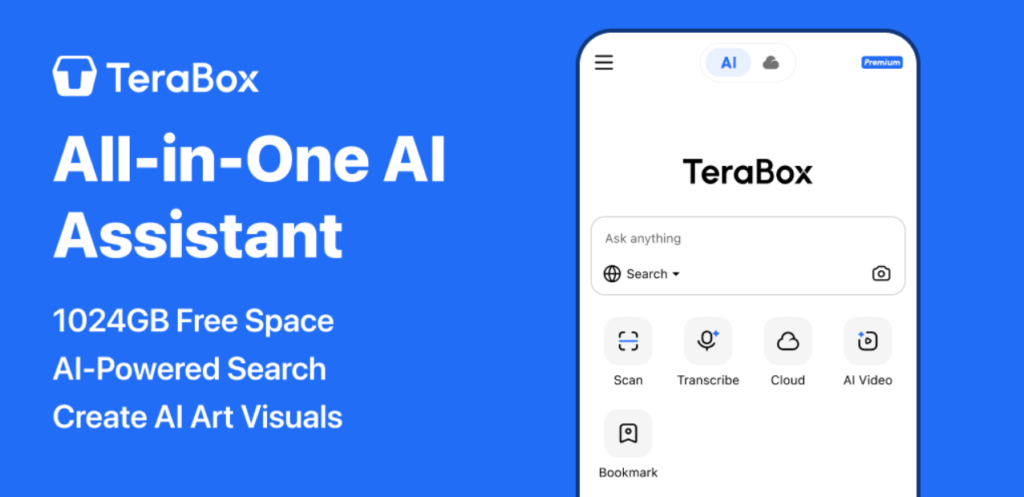
The platform offers up to 1TB of free cloud storage, making it especially attractive to students who need space for large video files.
Understanding TeraBox Video Download
TeraBox Video Download means saving a video file from the TeraBox cloud to your local device such as a mobile phone, laptop, or desktop computer. Once downloaded, the video can be accessed offline without an internet connection.
This feature is particularly useful for:
- Students with limited internet access
- Learners who want uninterrupted study
- Beginners who need to rewatch tutorials
What Does “Quality Selection” Mean?
When downloading a video, quality selection refers to choosing the video resolution or clarity level. Common quality options include:
- Low Quality (360p)
- Medium Quality (480p)
- High Definition (720p)
- Full HD (1080p, if available)
With TeraBox Video Download, users can select video quality depending on:
- Internet speed
- Device storage space
- Screen size
- Learning purpose
Why Quality Selection Matters for Students
Quality selection is not just a technical feature—it directly affects learning experience.
1. Storage Management
Higher quality videos consume more storage. Choosing the right quality helps manage limited device space.
2. Internet Data Saving
Lower resolutions use less data, which is ideal for students on limited data plans.
3. Smooth Playback
On low-end devices, medium or low quality videos play more smoothly.
4. Visual Clarity
For coding tutorials or presentations, higher quality ensures text and visuals are clearly visible.
How TeraBox Video Download with Quality Selection Works
The quality options you see during download depend on:
- The original video quality uploaded
- Your device type (mobile or desktop)
- Your internet speed
If a video was uploaded in HD, TeraBox usually provides multiple quality choices during the download process.
Step-by-Step: TeraBox Video Download with Quality Selection
Step 1: Open TeraBox
Visit the official TeraBox website or open the mobile app.
Step 2: Sign In
Log in using your registered email or social account.
Step 3: Find the Video
Navigate to the folder containing the video you want to download.
Step 4: Select the Video
Click on the video file to open options.
Step 5: Choose Download
Click the Download button.
Step 6: Select Video Quality
Choose your preferred resolution (for example, 480p or 720p).
Step 7: Start Download
Confirm and wait for the TeraBox Video Download to complete.
TeraBox Video Download with Quality Selection on Mobile
Android Devices
- Use the official TeraBox app
- Grant storage permissions
- Select quality before download
iOS Devices
- Download videos inside the app
- Quality selection may depend on iOS limitations
- Offline viewing usually stays within the app
Mobile downloads are ideal for students who learn while traveling or commuting.
TeraBox Video Download with Quality Selection on PC
On desktops or laptops:
- Use a modern browser like Chrome or Edge
- Ensure stable internet connectivity
- Select quality before starting the download
PC downloads are best for:
- Long academic lectures
- Programming and design tutorials
- High-resolution study materials
Which Video Quality Should You Choose?
Low Quality (360p)
Best for:
- Audio-based lectures
- Small screens
- Very limited internet
Medium Quality (480p)
Best for:
- General study
- Balanced storage and clarity
High Quality (720p or above)
Best for:
- Coding tutorials
- Design or diagram-heavy videos
- Large screens
Choosing the right quality makes TeraBox Video Download more efficient and practical.
Common Issues with Quality Selection
Quality Option Not Visible
- Video may have only one available resolution
- Original upload quality may be low
Download Too Slow
- High-quality videos take more time
- Switch to lower resolution
Storage Full Error
- Free device space before downloading
Tips to Optimize TeraBox Video Download Experience
- Use Wi-Fi for high-quality downloads
- Download during non-peak hours
- Keep your device charged
- Close background apps
- Organize downloaded videos by subject
These practices help ensure smooth TeraBox Video Download with quality selection.
Educational Benefits for Beginners
For beginners, especially those new to online learning:
- Quality control avoids unnecessary confusion
- Lower resolutions reduce technical issues
- Higher clarity improves understanding of visuals
- Offline access supports consistent study habits
Legal and Ethical Considerations
Always ensure that:
- You download videos you own or have permission to use
- Content is used for personal educational purposes
- You do not redistribute copyrighted material
Responsible usage is essential when using TeraBox Video Download features.
Comparison: Downloading with vs without Quality Selection
| Feature | With Quality Selection | Without Quality Selection |
|---|---|---|
| Storage Control | High | Low |
| Data Usage | Optimized | Fixed |
| Device Compatibility | Better | Limited |
| Learning Comfort | Improved | Variable |
Quality selection clearly improves user experience.
Frequently Asked Questions
Can I change video quality after downloading?
No. You must select quality before starting the download.
Does higher quality improve audio?
Audio quality usually remains consistent across resolutions.
Is TeraBox Video Download free?
Yes, within free account limits.
Is quality selection available for all videos?
Only if multiple resolutions exist for that video.
Final Conclusion
TeraBox Video Download with quality selection is a simple yet powerful feature that significantly improves the learning experience for students and beginners. By allowing users to choose the right video resolution, TeraBox helps balance storage usage, data consumption, and visual clarity.
Whether you are preparing for exams, learning programming, or watching recorded lectures, understanding how quality selection works will help you study smarter and more efficiently.
Used responsibly and correctly, TeraBox Video Download becomes an excellent tool for modern, flexible, and offline education.